Write the article for the question you missed
The Content Engine starts from your report. Topics are tied to the questions your report shows you missing from. You approve the topic, edit the outline and review the article. Nothing is published by itself.
- Starts from
- The missed questions in your own report.
- Sources
- Body sections are written with a live web search and link to the pages they cite.
- Control
- You approve the topic, the outline and the article. There is no autopilot.
What you get
What to write, ranked
Paid plans. Where: Content Engine, What to write.
Topic suggestions, each linked to the missed question it answers. A band says how firmly rivals hold that question: High, Medium or Low, from how many competitors were named and how often the strongest one is. "Open" means no tracked competitor was named either. Topics that match no gap are listed separately. They are not ranked last.
Outlines and articles
Paid plans. Where: Content Engine, New article.
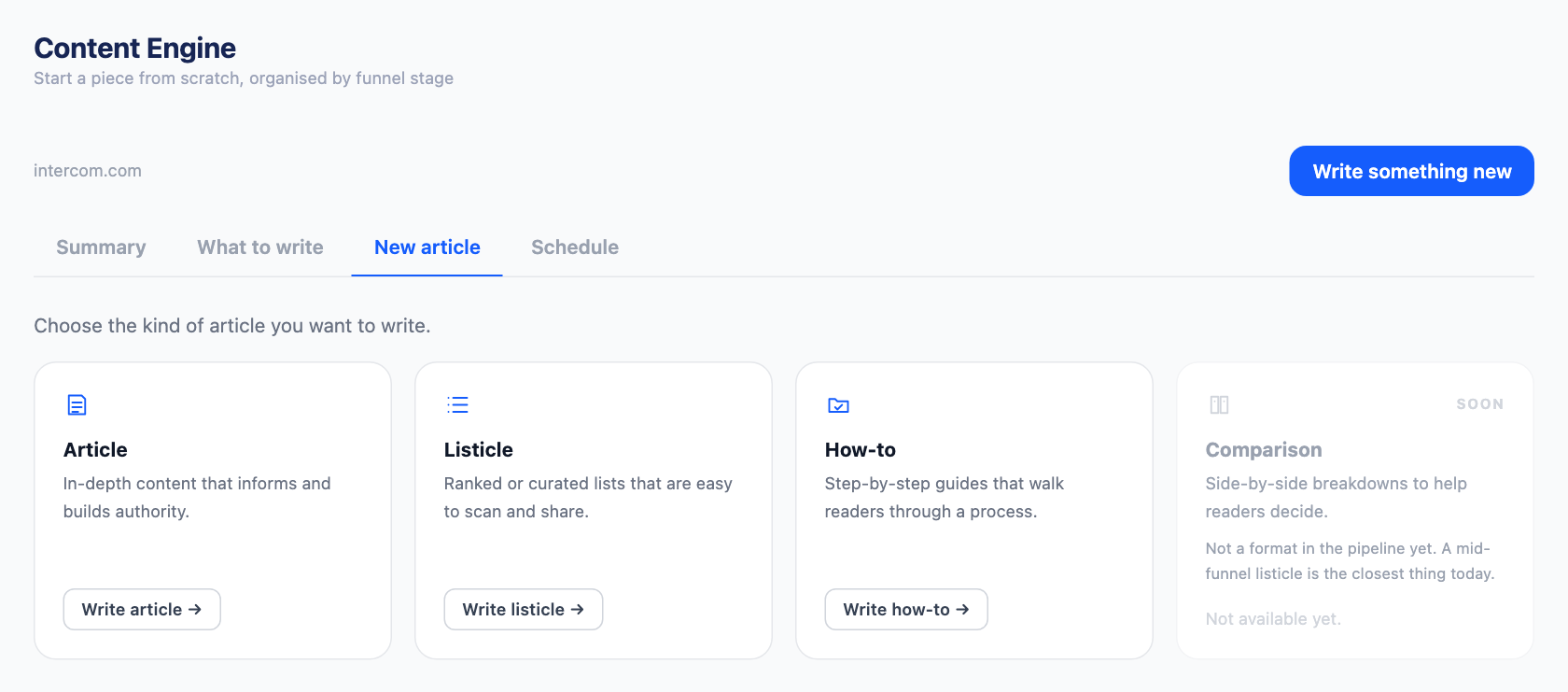
Three formats: article, how-to and list. Two stages: top of funnel and mid funnel. The outline comes first and is yours to edit, with a link and a note per section. The article opens in an editor that saves as you type, and a quick view opens any draft from the work table without leaving it.
Cited sources
Paid plans. Where: Article editor.
Body sections are written with a live web search and link to the page that published the finding. Peach does not invent statistics. When no source is found, the section makes its point without a number. The editor shows how many sections were written from sources, and flags a citation that points at a homepage.
Checks on every draft
Paid plans. Where: Article editor.
Rules, run on every generation and every save: word count against the band for the format, a banned-phrase list, every outline heading present, no unresolved placeholder such as [link], brand-name density, and homepage-only citations. They count and match. They are not a fact-check.
Brand Hub
Live. Where: Sidebar, Brand Hub.
What Peach writes with, per website: business description, value proposition, competitors with their measured rates, tone, pages found from your sitemap for internal links, a call to action, and authority links.
Publishing
Needs set-up. Where: Sidebar, Publishing.
A Peach-hosted blog page works with no set-up. Self-hosted WordPress connects with a username and an application password; it is new and lightly tested. WordPress.com and GitHub are built and have to be enabled on Peach's side before you can connect them. Ghost, Webflow, Shopify and HubSpot are not built.
Export from the editor
Paid plans. Where: Article editor toolbar.
Download any article as HTML, PDF, an image, Markdown or Word, and import a draft written elsewhere from HTML, Markdown or Word.
How it works
- Run a check. The missed questions in the report are where the topics come from.
- Generate topics. Peach suggests a pace from how often your blog already posts, and says what a batch costs before it runs one.
- Approve, then edit the outline. Change headings, attach a link or a note to a section, set the stage.
- Review the article. Writing takes one to three minutes. Read it, check the links, edit, then publish or export.
What this doesn't do
- It does not publish by itself. There is no autopilot and no schedule.
- It does not rewrite or refresh pages you have already published.
- It does not update a post after publishing. Publishing again makes a second post on WordPress, and a new address on the Peach-hosted blog.
- It does not use search volume. Topics are ranked by what the AI answers showed, not by how many people search.
- It does not read Reddit or Quora.
- It does not write comparison pages or bottom-of-funnel pages.
- It does not generate images.
- Writing articles is not part of the free account.
Coming soon
- Schedule (coming soon): A dated list of planned and published articles. The tab is in the product and is empty.
- Comparison format (coming soon): Shown in the product as coming soon. Not built.
- WordPress.com and GitHub (coming soon): Built, not switched on. They need credentials set up on Peach's side.
- Ghost, Webflow, Shopify, HubSpot (coming soon): Not built.
Questions
Where do the topics come from?
From your report. Each suggestion names the missed question it answers, where there is one. When your own site has little content to work from, Peach also reads what competitors publish.
Are the statistics in an article real?
Body sections are written with a web search and link to their sources, and a section with no source makes its point without a number. Check the links before you publish. A model chose them, and it can pick a weak page.
How many articles can I write?
20 a month on Starter and 40 on Growth, counted over a rolling 30 days. The free account does not include articles.
Can Peach publish to my site?
To a Peach-hosted blog page, yes, with no set-up. To self-hosted WordPress, with an application password. Other destinations are listed above with their real state.
Can I edit before anything goes live?
Always. The outline is editable before the article is written, and the article opens in an editor. Publishing is a button you press.
What does "Needs review" mean on an article?
The draft failed at least one of the checks, for example it came in under the word band or kept a banned phrase. The editor lists which ones.
Read more
See which AI answers name you
Run a free check. Free. Peach asks you to create an account before the check runs. No card.